
Introduction
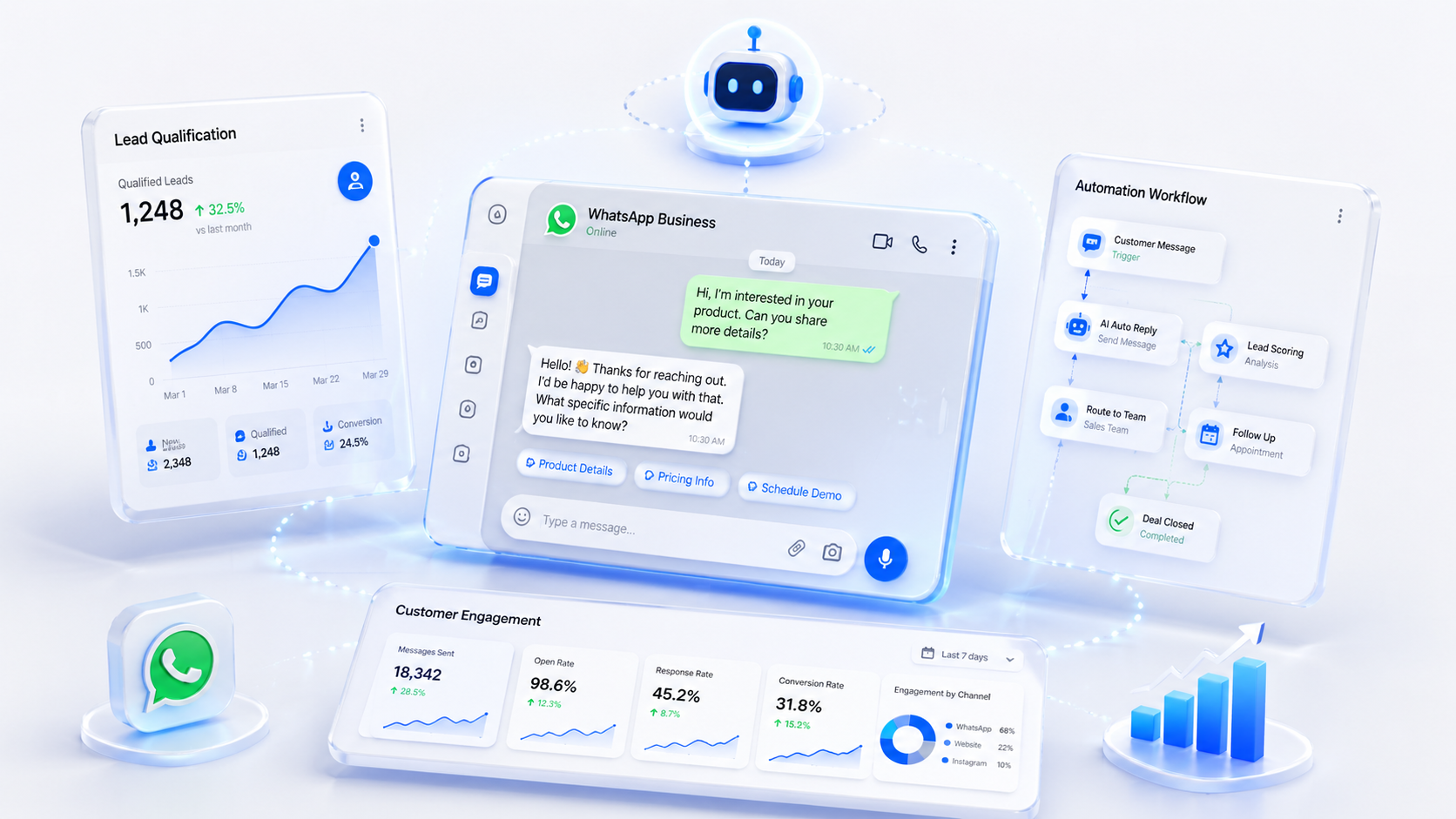
What is WhatsApp Automation?
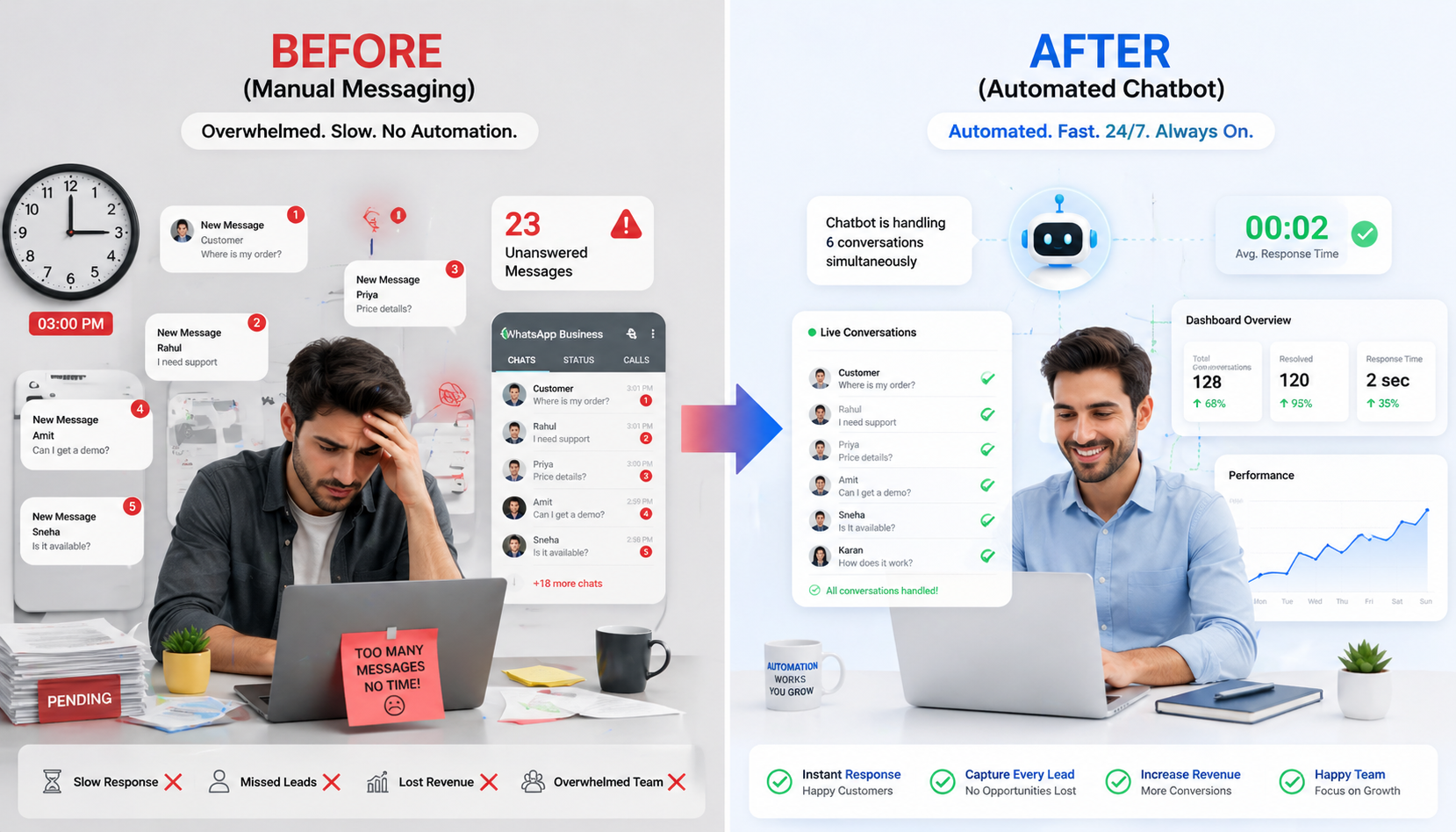
WhatsApp Automation vs. Manual Messaging
Manual messaging means slow response times (hours or days), limited volume tied to team size, and 9–5 availability only. WhatsApp Automation delivers instant responses, thousands of messages per day, 24/7/365 availability, dynamic personalization at scale, and a low per-message cost.
Open Rate in 5 Minutes
WhatsApp messages achieve near-universal open rates compared to 20–30% for email campaigns.
Higher Conversion Rates
Quick automated responses close deals faster with instant lead qualification.
Cost Reduction
Automation handles routine tasks without additional staff, slashing support costs.
Availability
Handle customer inquiries around the clock without hiring overnight staff.
Key Benefits of WhatsApp Automation
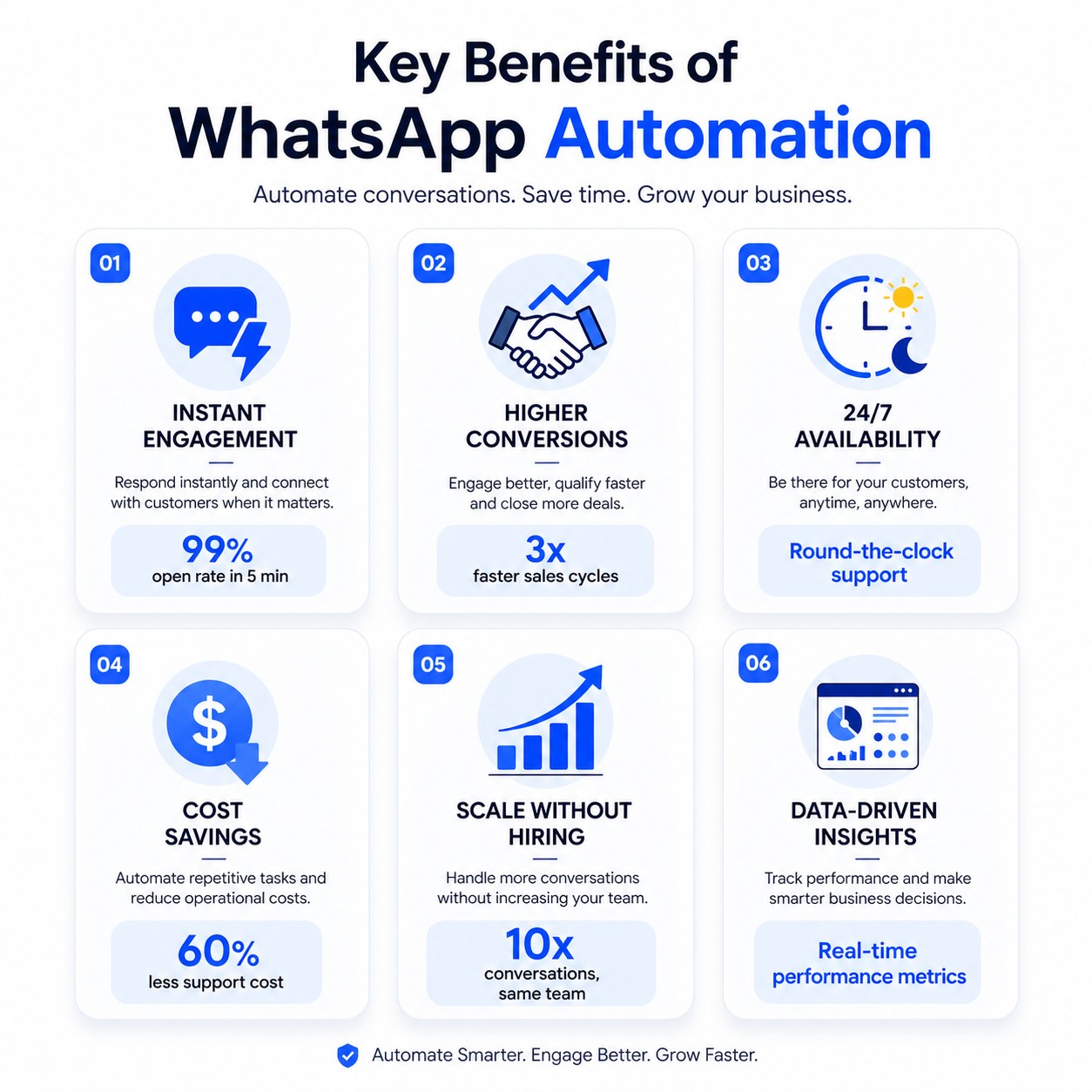
Instant Customer Engagement
Respond to customers immediately, day or night, with automated messages. Never miss a lead again, even outside business hours.
Higher Conversion Rates
Quick, personalized responses close deals faster. Lead qualification happens automatically so sales teams focus only on ready-to-buy prospects.
24/7 Availability
Your business never sleeps. Handle inquiries during holidays, weekends, and after hours without adding headcount.
Data-Driven Insights
Track customer interactions, response rates, and engagement patterns. Use this data to continuously refine your messaging strategy.
Scale Without Hiring
Handle 10x more customer conversations without proportionally increasing your team size or payroll.
Lower Operating Costs
Reduce dependency on large support teams. Automate routine tasks and reallocate budget toward growth initiatives.
Types of WhatsApp Automation
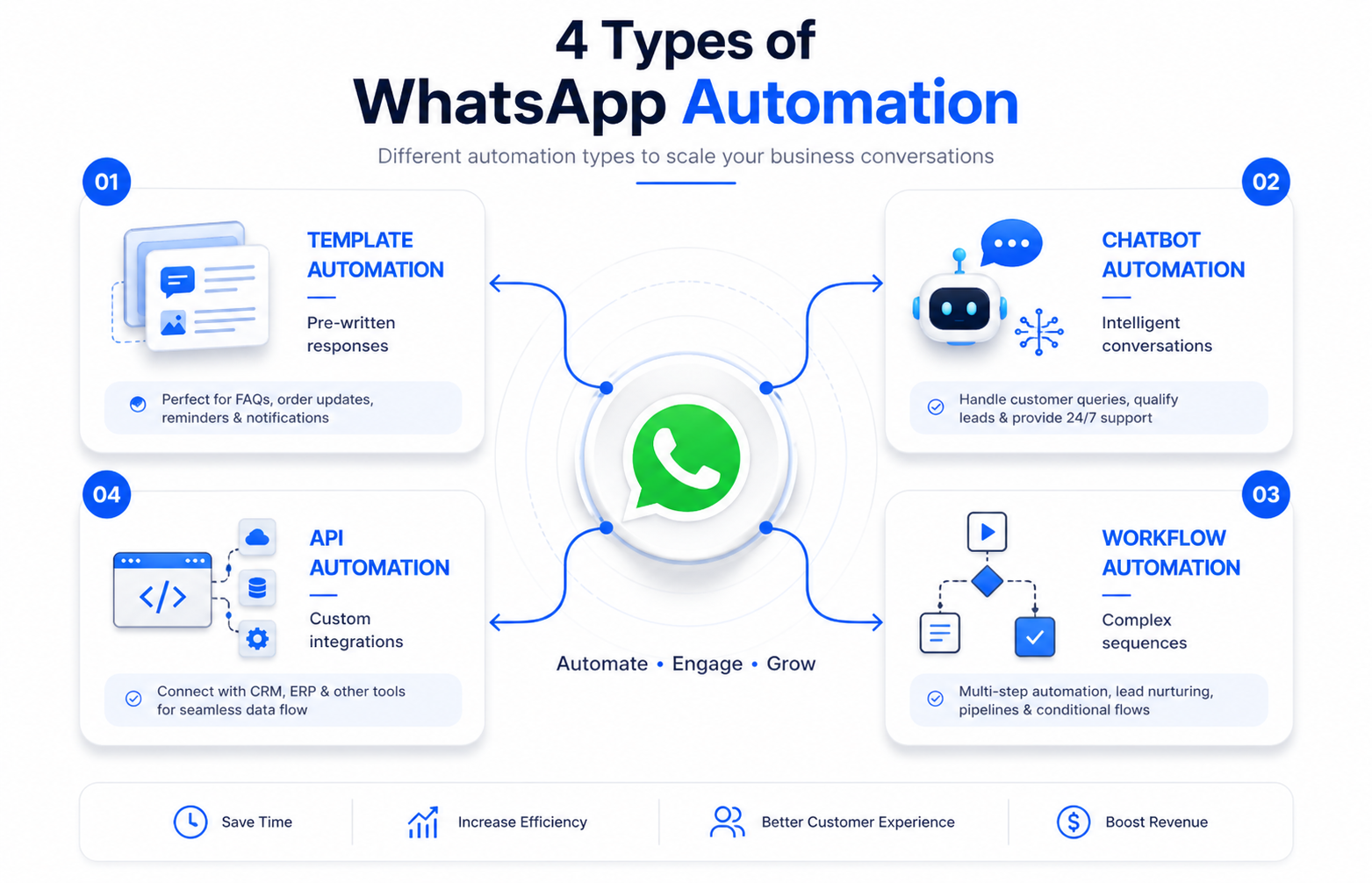
1. Template-Based Automation
Pre-written messages triggered by specific customer actions such as order confirmations or appointment reminders. Best for: E-commerce, healthcare, education, and service bookings.
2. Chatbot Automation
AI-powered bots that understand customer intent and respond intelligently. Best for: Lead qualification, FAQs, support tickets, and appointment scheduling.
3. Broadcast Messages
Sending the same message to multiple customers at once with personalization variables. Best for: Announcements, promotions, and bulk reminders.
4. Workflow Automation
Complex sequences that trigger multiple actions based on customer behavior. Best for: Sales funnels, customer onboarding, and re-engagement campaigns.
5. WhatsApp API Automation
Custom integrations using the official WhatsApp Business API for fully tailored solutions. Best for: Enterprise businesses needing deep CRM integrations and custom features.
How WhatsApp Automation Works
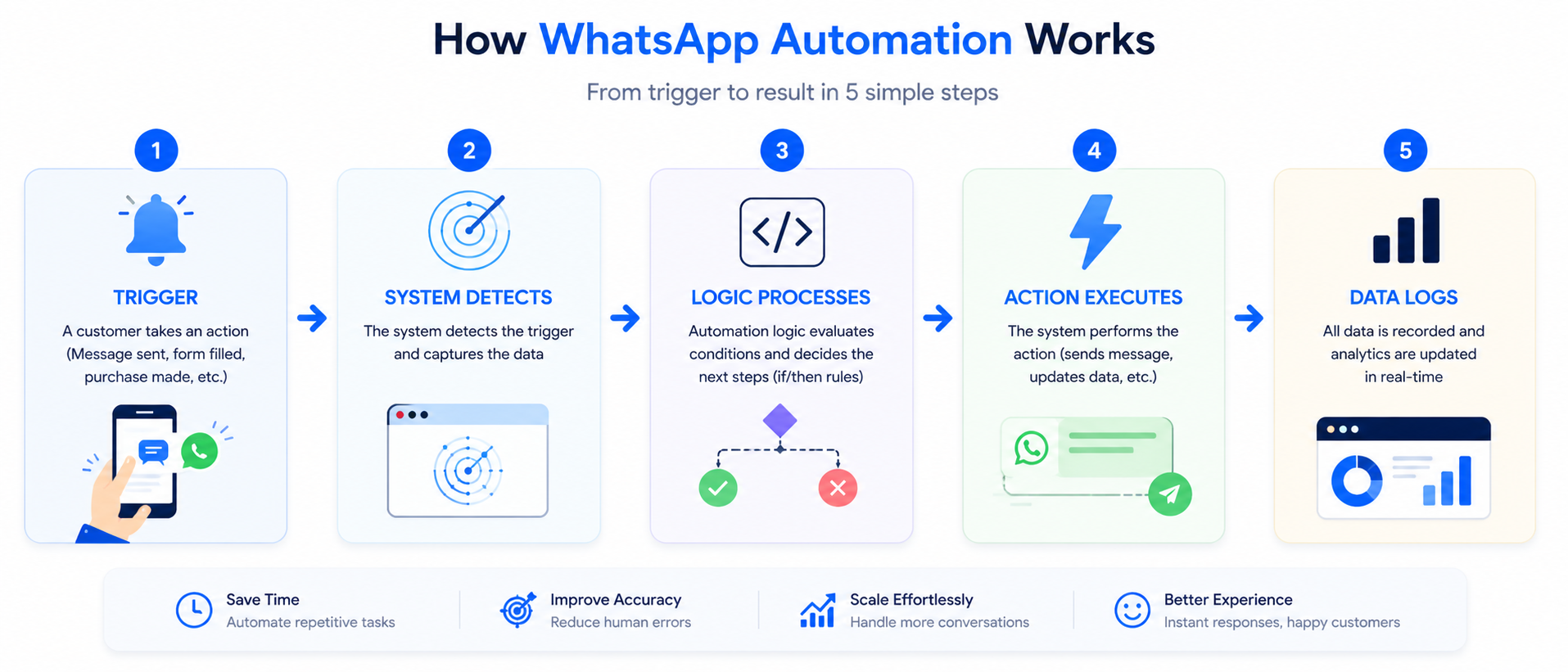
The 5-Step Automation Flow
TRIGGER: Customer takes an action — sends a message, fills a form, or makes a purchase.
SYSTEM DETECTS: The automation platform captures the trigger event in real time.
LOGIC PROCESSES: The system runs predefined rules — for example, if the customer asks about pricing, send the pricing template.
ACTION EXECUTES: The appropriate response is delivered — an auto-reply, chatbot engagement, or routed message.
DATA LOGS: The interaction is recorded for analytics — tracking engagement, response rate, and conversion.
Real-World Example: Quote Request Flow
A customer clicks 'Get Price Quote' on your website. The automation sends a welcome message with product details via WhatsApp instantly. A chatbot qualifies the customer with two or three questions. The sales rep receives a notification with the fully qualified lead. The rep follows up with a warm prospect — not a cold call.
Step-by-Step Guide to Start WhatsApp Automation
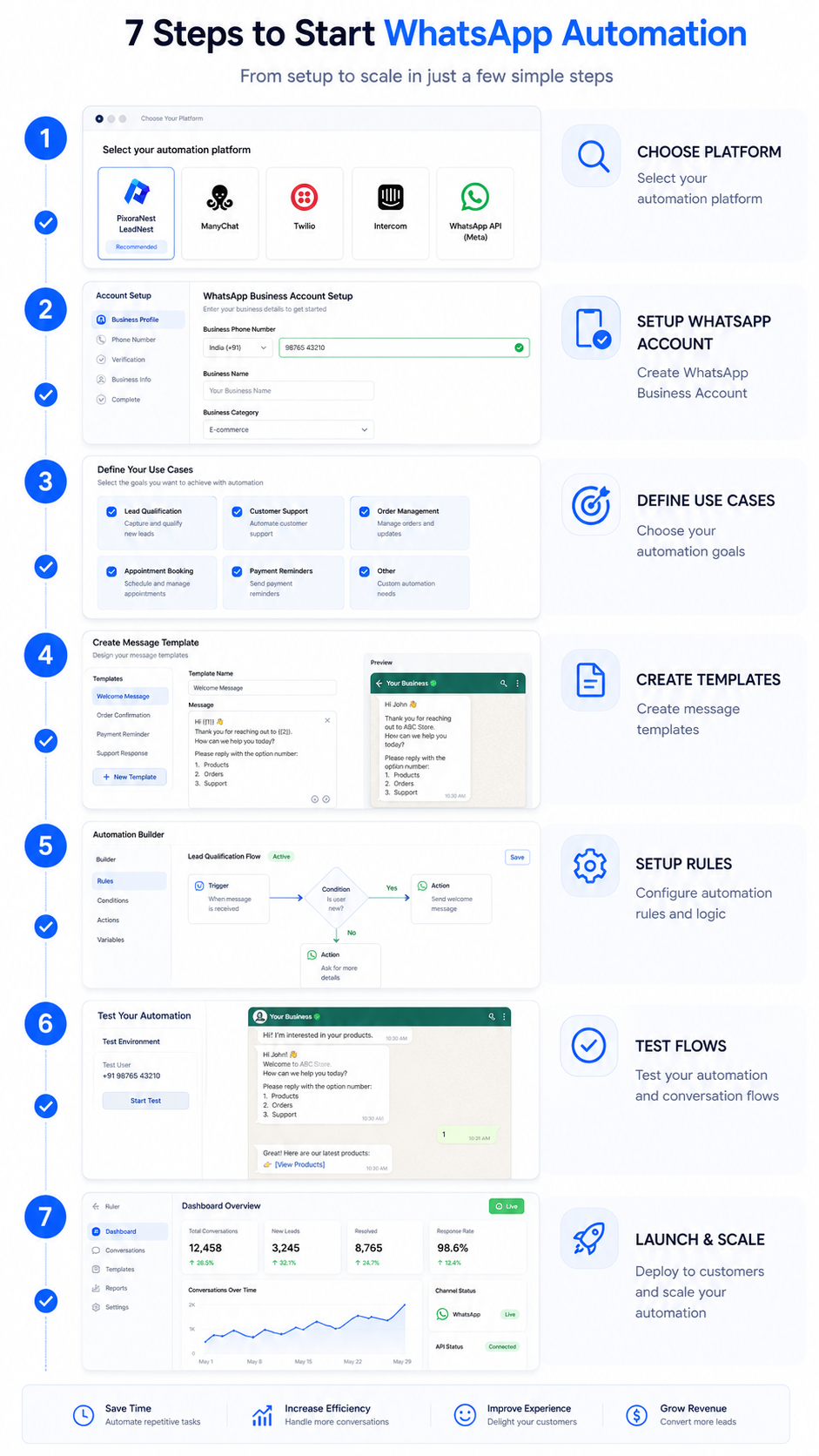
Step 1 — Choose Your Platform: Decide which tool fits your needs. No technical skills? Use PixoraNest LeadNest or ManyChat. Need deep integration? Use the WhatsApp Business API or Twilio. Want a support focus? Use Intercom.
Step 2 — Set Up WhatsApp Business Account: Download the WhatsApp Business app, create your account with a business phone number, add your business profile, enable two-factor authentication, and connect to your chosen automation platform.
Step 3 — Define Your Use Cases: Identify one or two problems to solve first — lead qualification, customer support, order updates, appointment reminders, or promotional messages.
Step 4 — Create Message Templates: Design three to five templates for your main use cases and submit them for Meta approval. Approval typically takes under 24 hours.
Step 5 — Set Up Automation Rules: Configure triggers and actions. Example: When a customer sends 'pricing', automatically send the pricing template plus relevant case studies.
Step 6 — Test and Optimize: Test all flows with your team, check message formatting, verify chatbot accuracy, and confirm escalation paths to human agents are working.
Step 7 — Launch and Scale: Start with a warm list of 500–1,000 contacts. Monitor KPIs for two weeks, make adjustments based on data, then roll out to your full customer base.
Real-World WhatsApp Automation Examples
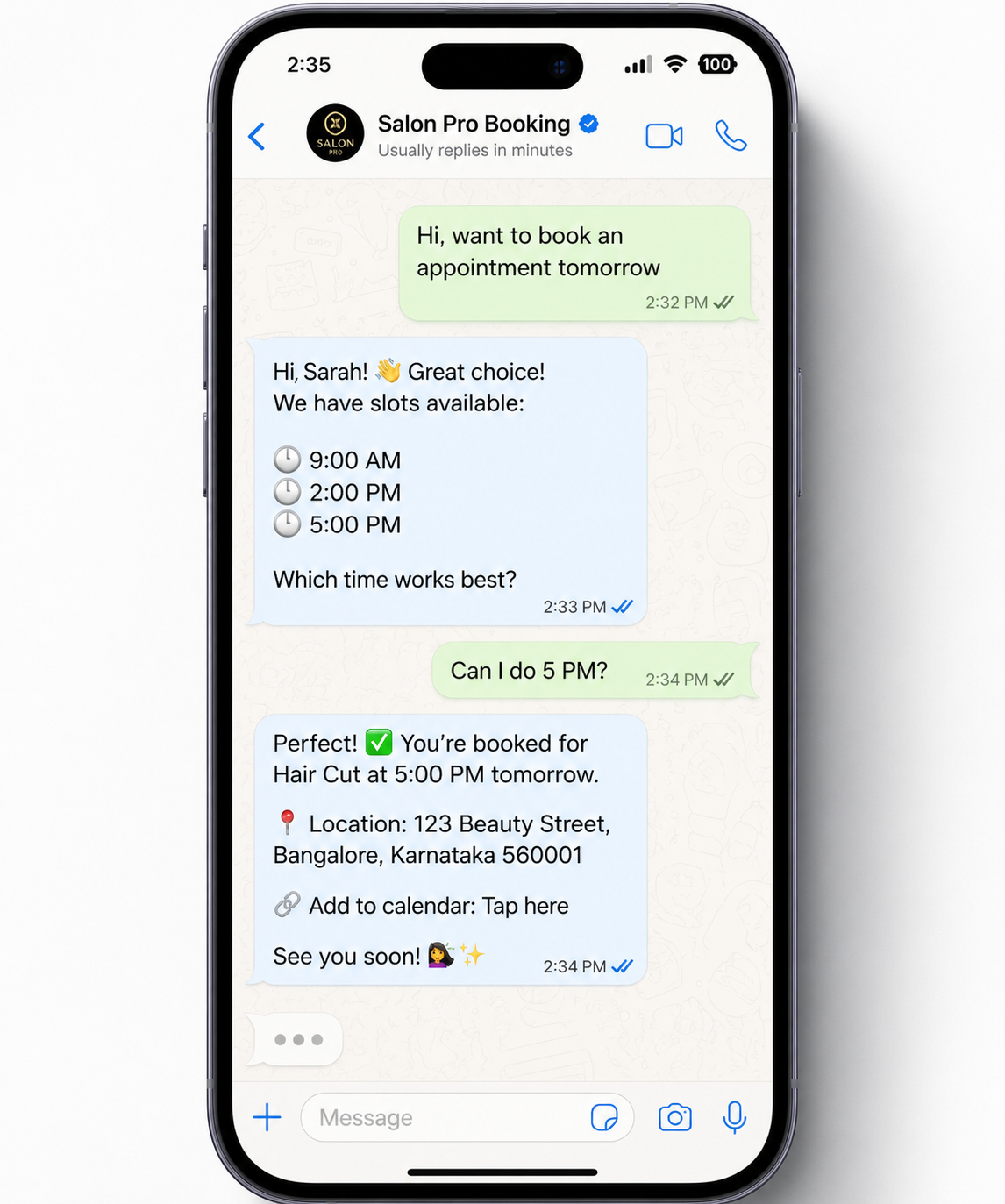
Real-World Results
Common Mistakes to Avoid
Over-Automation: Do not send too many messages. A maximum of two to three per week unless the customer is actively engaged. Customers immediately block businesses that feel spammy.
Impersonal Messages: Avoid generic copy-paste messages. Use the customer's name, reference their specific behavior, and personalize based on their stage in the journey.
No Human Escalation Path: Always provide an easy way to reach a real person. Make the escalation clear — for example, 'Type TALK TO AGENT anytime to reach our team.'
Wrong Send Times: Never send messages at 3 AM. Use timezone-aware scheduling and test different times for your audience. For Indian businesses, 9–10 AM, 1–2 PM, and 5–6 PM typically perform best.
Ignoring Analytics: Do not continue running flows that are not converting. Monitor open rates, click rates, and conversion rates weekly. Kill underperformers and double down on winners.
Poor Template Quality: Typos, broken links, and unclear calls to action waste every impression. Proofread three times, test all links before launching, and use clear action language like 'Tap to view pricing.'
Missing Customer Consent: Never send messages to customers who have not explicitly opted in. It is both illegal under DPDP Act rules and damaging to your quality rating on the WhatsApp platform.
Best Practices for Maximum Results
Segment Your Audience
Do not send the same message to everyone. Segment by purchase history, product interest, engagement level, location, or funnel stage. Send premium upgrade offers only to customers with three or more months of usage.
Prioritize Message Clarity
Keep messages short and scannable. Aim for a maximum of 150 words per message, one clear action per message, minimal emoji use, and adequate whitespace for easy reading.
Use Rich Media Strategically
Images and short videos boost engagement significantly. Best uses include product screenshots, before-and-after images, quick demos under 30 seconds, and informative infographics.
Create Response Buttons
Use interactive buttons instead of open-ended questions. 'What interests you most? 1️⃣ Cost 2️⃣ Speed 3️⃣ Features' consistently outperforms 'What would you like to know?' by 40–60% in response rate.
Optimize Send Times
Test different send times to find peak engagement windows. For Indian businesses: 9–10 AM (morning start), 1–2 PM (lunch break), and 5–6 PM (post-work) are typically the strongest windows.
Build Fallback Flows
Plan for when the chatbot does not understand a message. Provide clear recovery options: 'I did not quite get that. Would you like to 1️⃣ Try again or 2️⃣ Talk to our team?'
Ready to Automate Your Business on WhatsApp?
Explore PixoraNest AI Automation Services
Ready to automate your business with AI?
Join hundreds of Indian startups and small businesses using PixoraNest to automate WhatsApp, calls, and customer communication — and grow 3x faster.
Related Articles
LeadNest: WhatsApp Business Automation for Modern Businesses
Discover how LeadNest WhatsApp automation captures leads, automates conversations, and drives sales 24/7.
Read Article
CRM Automation with LeadNest: From Lead Capture to Conversion
Automate your sales pipeline using LeadNest for lead capture, nurturing, and conversion.
Read Article
How WhatsApp Automation Can 10X Your Business Leads
Learn how WhatsApp automation captures leads at scale and converts them into paying customers.
Read Article